The post Add new licenses or cancel subscription for Leadpal appexchange product appeared first on CM-Focus LLC - A Salesforce Training, Consulting and Product Development Company.
]]>Step 1: Goto www.appexchange.salesforce.com, click on login using your salesforce login credentials
Step 2 : Click on My Account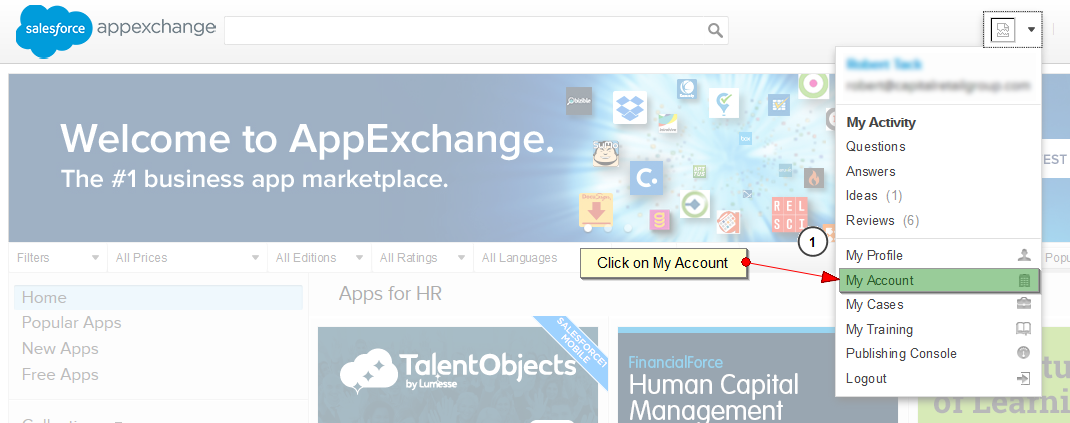
Step 3: You can see all the installed apps in your organization. Click on the modify subscriptions links below Leadpal app.
Step 4: Change the no of users, to add or remove the no of users. If you want to cancel your subscription you can click on the cancel subscription link.

Step 5: Click on Save button.
The post Add new licenses or cancel subscription for Leadpal appexchange product appeared first on CM-Focus LLC - A Salesforce Training, Consulting and Product Development Company.
]]>